
Connected software · optional ERP
A modern operating core for the transactions behind better intelligence.
Manage purchasing, inventory, sales, POS, invoicing, fiscal workflows, digital channels, and operational reporting in a modular ERP designed to connect directly with Quantifeye.
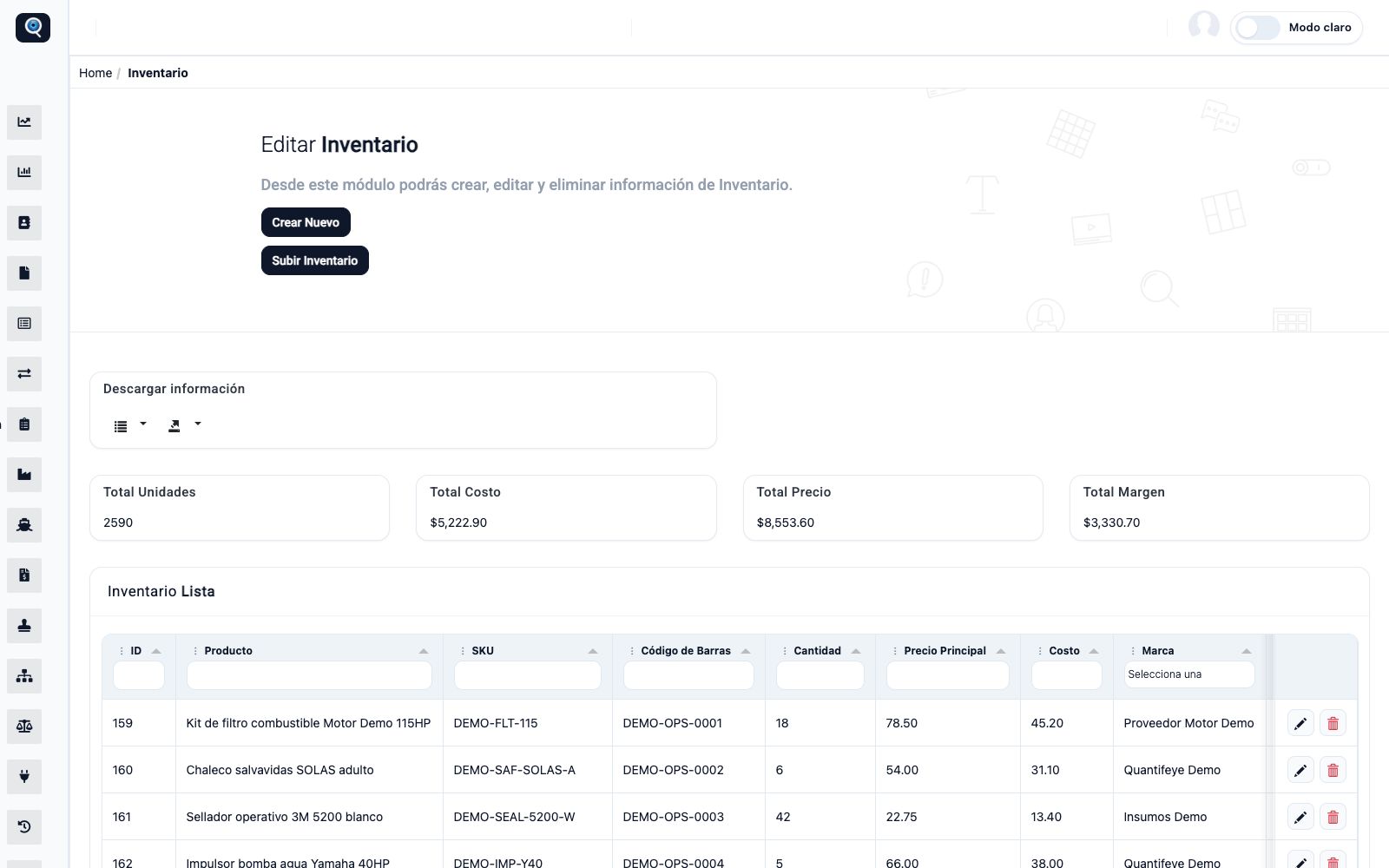
Connected ERP · inventory control
Traceable products, stock, cost, margin, and movement in one operating view.
ERP is optional connected software
Clear product roles
ERP records the operation. Quantifeye helps decide what the operation should do next.
Organizations can connect Quantifeye to the ERP they already trust. When the current stack is fragmented or incomplete, Connected ERP provides a modern source of structured, traceable, AI-ready operating data.
Inventory and traceability
Control products, SKU, barcodes, serialized assets, stock, movements, transfers, adjustments, and returns.
Purchasing and suppliers
Organize purchase orders, receiving, costs, expected delivery, warehouse replenishment, and supplier records.
Sales and POS
Connect quotes, sales, cashier workflows, payment methods, branches, mobile sellers, and operational reporting.
Invoicing and fiscal workflows
Manage commercial documents, fiscal status, credit or debit notes, and country-specific integration paths.
Digital commerce
Bring e-commerce, messaging, payment, QR, and external sales channels into the administrative flow.
Service operations
Support work orders, inspections, spare parts, service history, closure, and receivables in the same core.
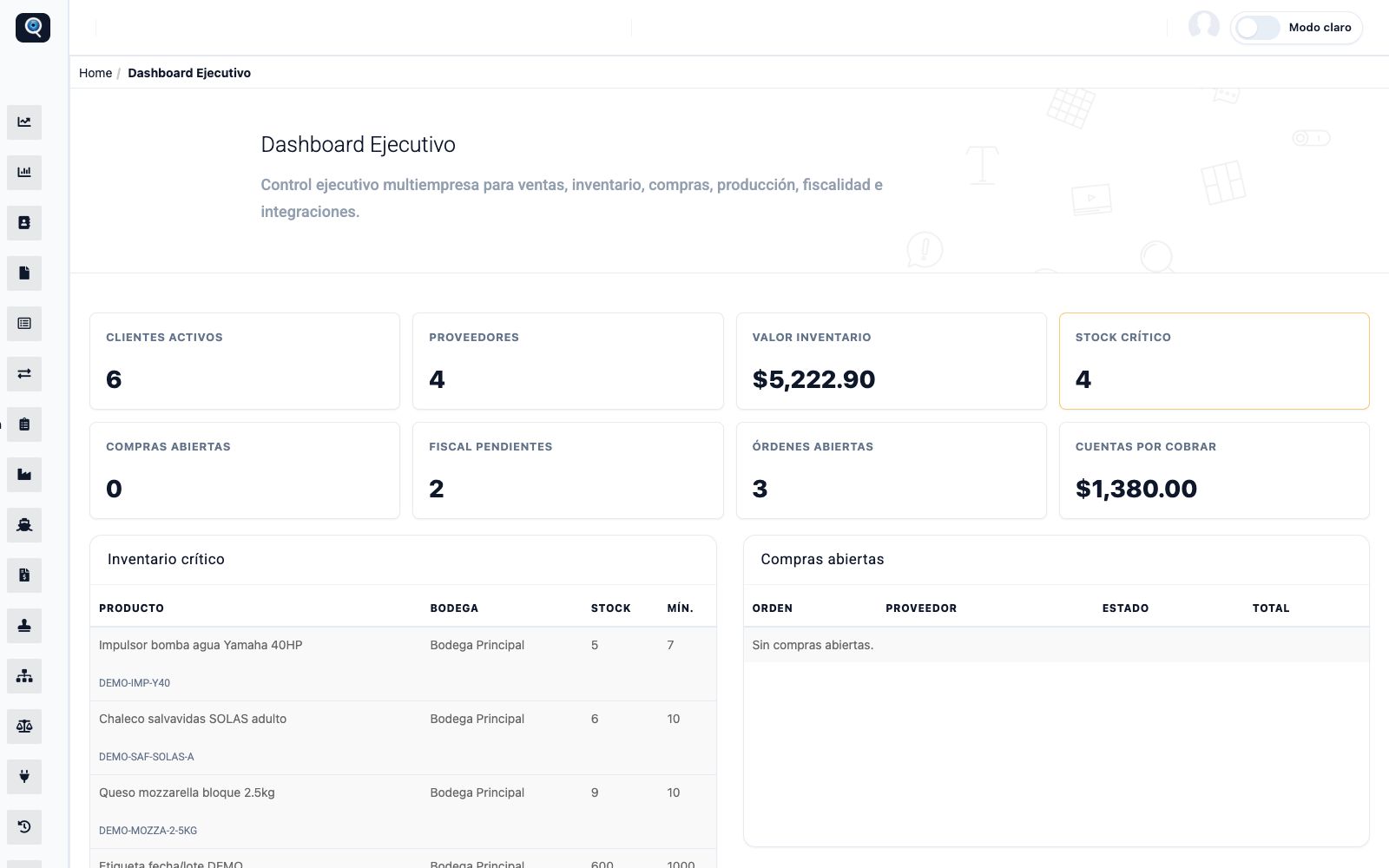
Inventory control
Know what exists, where it moved, and what needs attention.
Inventory becomes a traceable operational record instead of a spreadsheet snapshot. Teams can review availability, movement, critical stock, and warehouse context while Quantifeye uses that structured data for forecasting and prioritization.
- Stock by product and location
- Traceable entries, exits, and adjustments
- A cleaner foundation for predictive planning
Executive inventory signals
Know what exists, where it moved, and what needs attention.
Commercial and fiscal flow
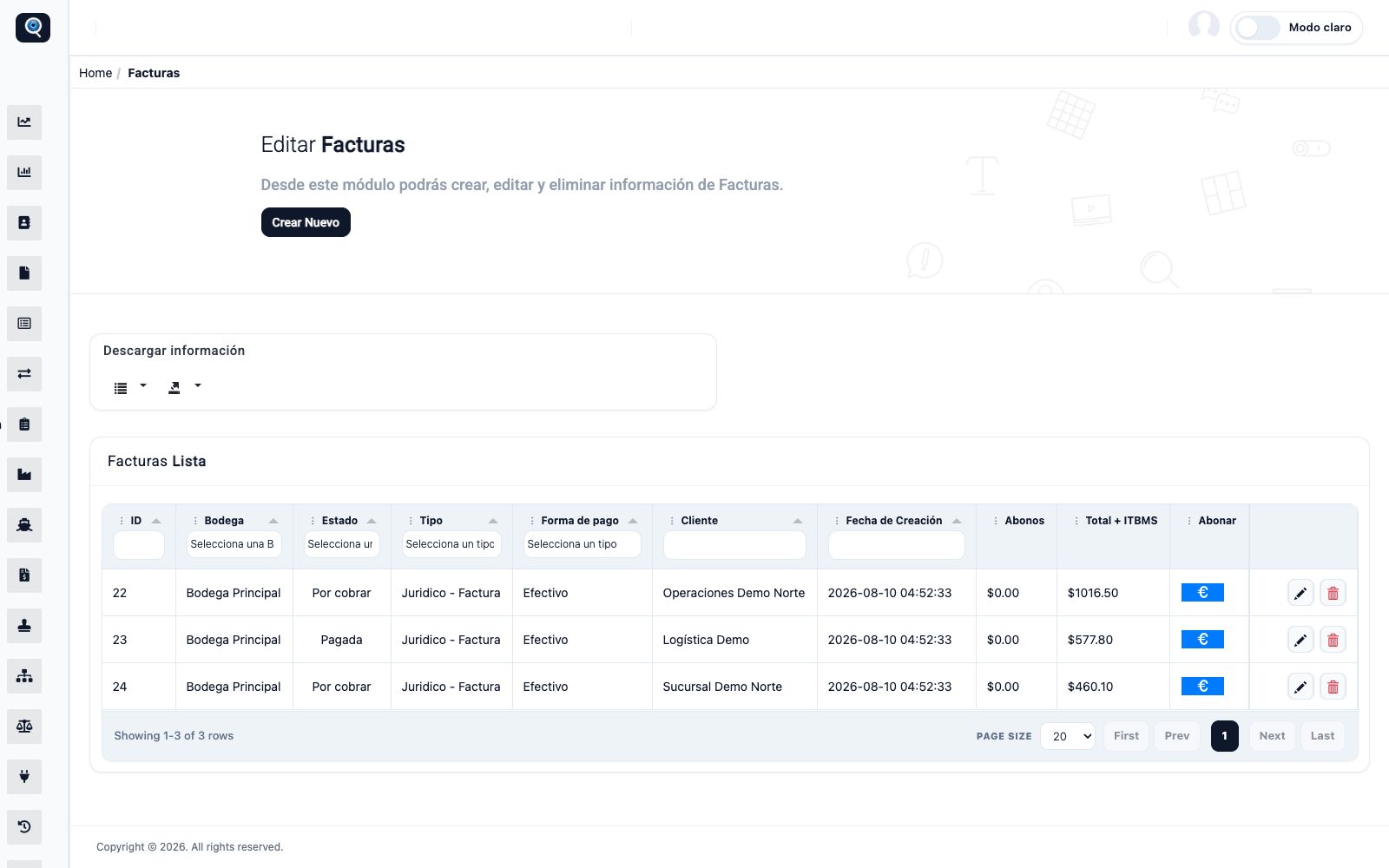
Keep invoicing connected to the transaction that created it.
Sales, invoices, payments, returns, and fiscal status remain connected to inventory and reporting. The exact fiscal integration is configured according to country, provider, and approved project scope.
- Commercial documents in one operating flow
- Status and traceability for review
- Country-specific integration by confirmed scope
Invoice management
Keep invoicing connected to the transaction that created it.
Connected channels
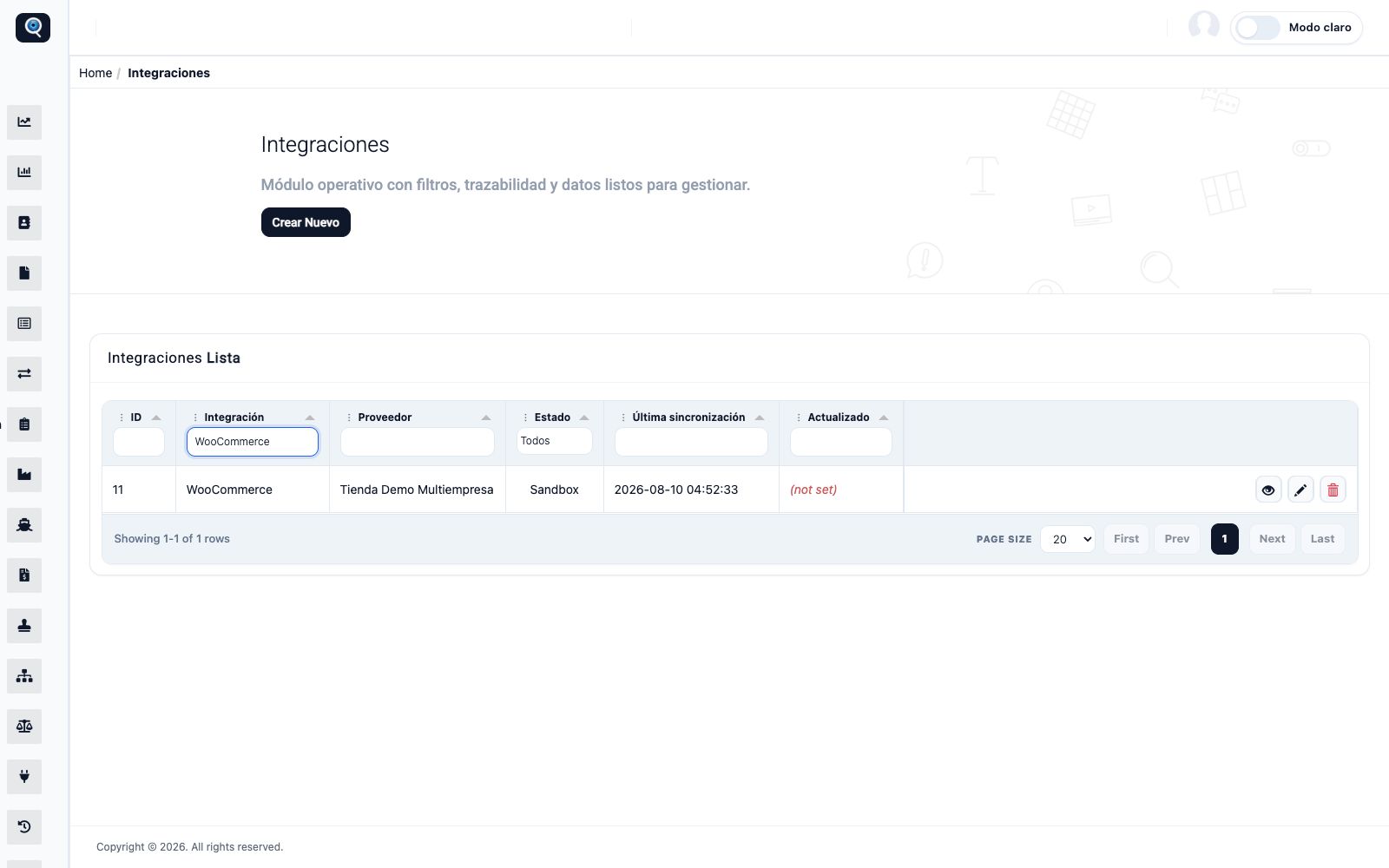
Bring digital demand into the real operating system.
E-commerce and QR workflows can exchange data with ERP instead of remaining isolated. Quantifeye then connects those transaction signals with prediction, orchestration, and measurable operational outcomes.
- E-commerce orders connected to administration
- QR validation tied to traceable records
- Middleware path into Quantifeye intelligence
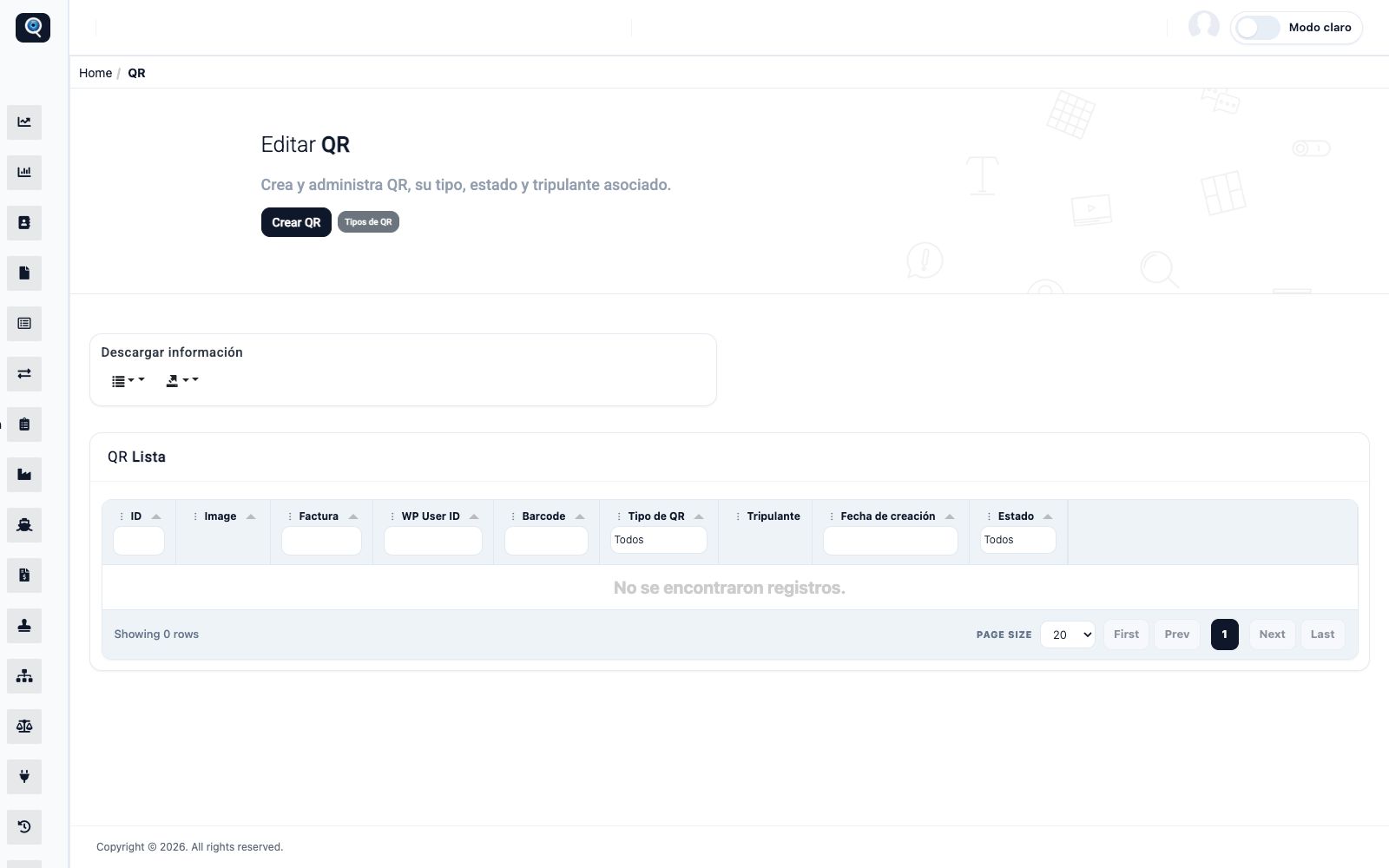
Connected channels
Bring digital demand into the real operating system.
Native connection
From system of record to intelligence and coordinated execution.
Connected ERP does not replace Quantifeye. It creates structured operational data and receives the priorities, forecasts, and next actions that Quantifeye produces.
Connected ERP
Transactions, inventory, customers, purchasing, fiscal status, and service records.
Quantifeye middleware
Connect, normalize, model, govern, and share operating context.
Operational intelligence
Predict, prioritize, route, measure, and learn from real outcomes.
Implementation path
Configure the ERP around the real operation.
Start with the processes and controls that matter, activate the required modules, validate with real workflows, and expand as the operation becomes more structured.
Discover
Map products, suppliers, locations, users, channels, fiscal needs, and operating rules.
Configure
Activate the modules and permissions required for the first production scope.
Connect
Integrate channels, payments, fiscal providers, external systems, and Quantifeye as approved.
Operate and evolve
Train teams, validate traceability, monitor adoption, and add capability as the business grows.
A structured data foundation
Modernize the operating core without confusing it with the intelligence layer.
We will help determine whether your current ERP should connect to Quantifeye or whether Connected ERP is the faster path to reliable, AI-ready operational data.